
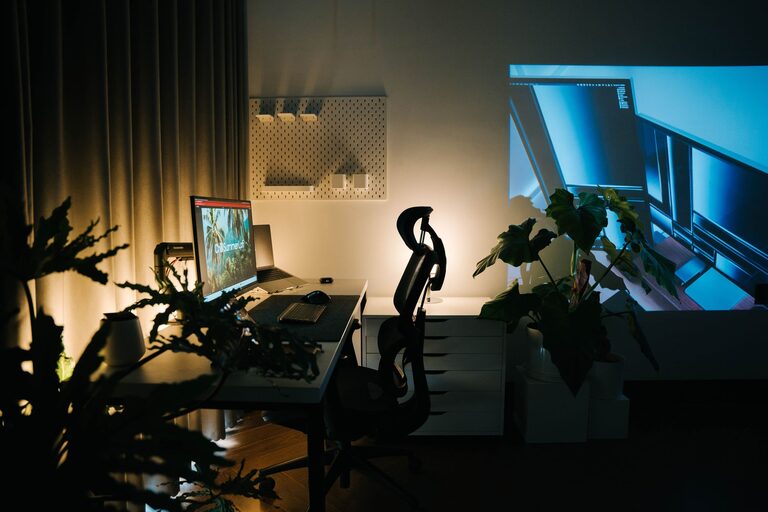
Creating a cozy and functional home workspace is essential for anyone working remotely or managing tasks from home. A well-designed workspace not only boosts productivity but also helps maintain a balance between work and relaxation. Whether you have a dedicated room or just a small corner, you can transform your area into a comfortable and efficient work hub. Here are some useful tips to get you started.
Choose the Right Location
Consider Natural Light
Selecting a spot near a window can improve your mood and energy levels. Natural light reduces eye strain and makes your workspace feel inviting. Position your desk so that light falls from the side to avoid screen glare.
Avoid Distractions
Find a quiet area free from household noises and foot traffic. If a separate room isn’t possible, use room dividers or noise-cancelling headphones to maintain focus.
Invest in Comfortable Furniture
Ergonomic Chair
Comfort is key for long hours of work. An ergonomic chair supports your posture and reduces discomfort. Look for adjustable height, lumbar support, and cushioning.
Functional Desk
Choose a desk that fits your needs and space. Consider options with storage or adjustable height to alternate between sitting and standing.
Organize Your Space Efficiently
Declutter Regularly
A tidy workspace enhances concentration. Use storage bins, shelves, or drawers to keep supplies organized and out of sight.
Desk Accessories
Keep essential items like pens, notebooks, and chargers within reach using desk organizers. This reduces interruptions and keeps your workflow smooth.
Create a Comfortable Atmosphere
Use Soothing Colors
Paint or decorate your workspace with calming colors like soft blues, greens, or neutrals. These tones can reduce stress and create a peaceful environment.
Personal Touches
Add personal items such as photos, plants, or artwork. These elements make the space inviting and reflect your personality.
Improve Lighting
Layered Lighting
Combine ambient lighting with task lighting. A desk lamp with adjustable brightness helps when working late or on detailed tasks.
Avoid Harsh Lights
Use warm or natural bulbs to prevent eye strain and create a cozy atmosphere.
Manage Technology Thoughtfully
Cable Management
Keep cables organized with clips, sleeves, or under-desk trays to prevent tangles and clutter.
Quality Equipment
Invest in reliable tech such as a good monitor, keyboard, and mouse. This can improve comfort and efficiency.
Prioritize Ergonomics and Health
Proper Screen Height
Position your monitor at eye level to avoid neck strain. Use stands or books if needed.
Take Breaks
Incorporate short breaks to stretch and move around. This helps reduce fatigue and maintains circulation.
Incorporate Greenery
Plants not only improve air quality but also add life and color to your workspace. Choose low-maintenance varieties like pothos, succulents, or snake plants to brighten your area.
Use Sound and Scent Wisely
If you like background noise, try calming music or white noise apps to boost concentration. Aromatherapy with diffusers or candles using scents like lavender or citrus can create a relaxing environment but be mindful of household preferences and sensitivities.
Maximize Small Spaces
Vertical Storage
Use wall shelves or pegboards to save desk space and keep items accessible.
Multi-Functional Furniture
Consider desks with built-in storage or foldable options if space is limited.
Set Boundaries for Work-Life Balance
Create a clear physical or visual separation between your workspace and relaxation areas. This helps your mind switch modes and maintain a healthy balance between work and home life.
—
Designing a cozy and functional home workspace is about combining comfort, organization, and personal elements that suit your work style. By applying these tips, you can create a pleasant area that encourages focus and wellbeing throughout your workday.