
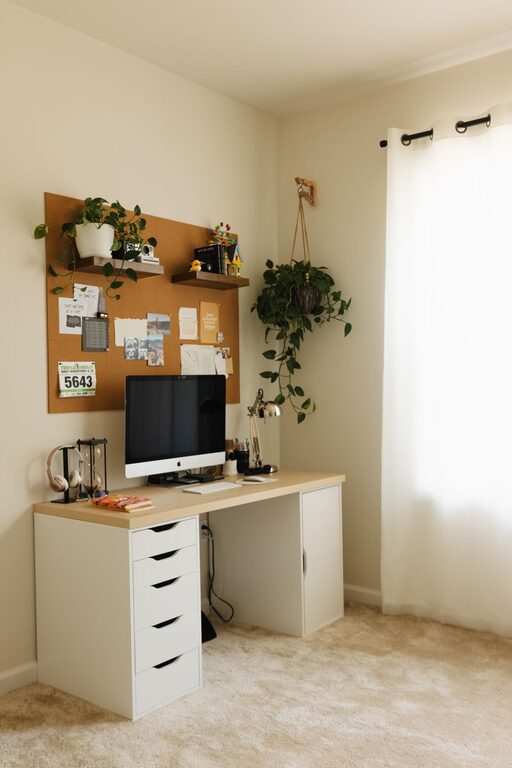
Creating a home workspace that feels both cozy and functional is essential for staying productive and comfortable throughout your workday. Whether you have a dedicated room or just a small corner, the right setup can make a big difference. In this post, we’ll explore practical tips to help you design a workspace that inspires focus and promotes well-being.
Choose the Right Location
Evaluate Your Space
Start by finding a spot in your home where you can work without distractions. Ideally, this area should have natural light, enough room for your equipment, and some separation from high-traffic zones. If space is limited, a quiet corner in the living room or bedroom can work well.
Consider Lighting
Good lighting is key to reducing eye strain and creating a pleasant atmosphere. Place your desk near a window if possible, to take advantage of daylight. For darker days or evening work, add adjustable task lighting like a desk lamp with warm tones.
Invest in Comfortable Furniture
Select an Ergonomic Chair
A comfortable chair that supports good posture is a must-have. Look for adjustable options that provide lumbar support, adjustable height, and sufficient cushioning. This investment helps prevent back pain and keeps you comfortable throughout long work sessions.
Desk Matters
Choose a desk that fits your work style and space. If you need room for multiple monitors or paperwork, opt for a larger surface. Standing desks or adjustable-height desks offer flexibility to switch between sitting and standing, which can boost circulation and reduce fatigue.
Organize for Efficiency
Declutter Regularly
A cluttered workspace can distract you and reduce productivity. Keep only essential items on your desk and store the rest in organizers, drawers, or shelves. Regularly clear off papers, unused cables, and office supplies that you don’t currently need.
Use Storage Solutions
Consider practical storage options like filing cabinets, wall-mounted shelves, or drawer organizers. Labeling storage bins and folders can help you find items quickly and maintain order.
Add Personal and Cozy Touches
Use Textiles and Colors
Incorporate soft textiles like rugs, cushions, or throws to add warmth and comfort. Choose colors that promote calm and focus, such as muted blues, greens, or earth tones. Avoid overly bright or distracting hues.
Decorate Thoughtfully
Add personal touches like plants, artwork, or inspirational quotes to make your workspace inviting. Plants, in particular, improve air quality and create a more relaxing environment.
Manage Technology and Cables
Set Up Efficient Tech
Make sure your internet connection is reliable and have all necessary devices such as computer, printer, and chargers within reach. Use wireless options when possible to reduce clutter.
Organize Cables
Tangle-free cables are important for both aesthetics and safety. Use cable organizers, clips, or covers to keep wires neat and out of the way.
Establish Daily Habits for Comfort and Productivity
Take Breaks and Move
Set reminders to stand up, stretch, or walk around regularly. Movement helps reduce stiffness and mental fatigue.
Keep Hydrated and Snack Wisely
Having water and healthy snacks nearby encourages good habits and keeps energy levels steady throughout the day.
Final Thoughts
Designing a home workspace that balances coziness and functionality is about combining comfort with smart organization. By paying attention to location, furniture, lighting, and personal touches, you create an environment that supports both your work goals and well-being. Take your time to personalize the space, and adjust as your needs evolve to maintain a productive and enjoyable home office.